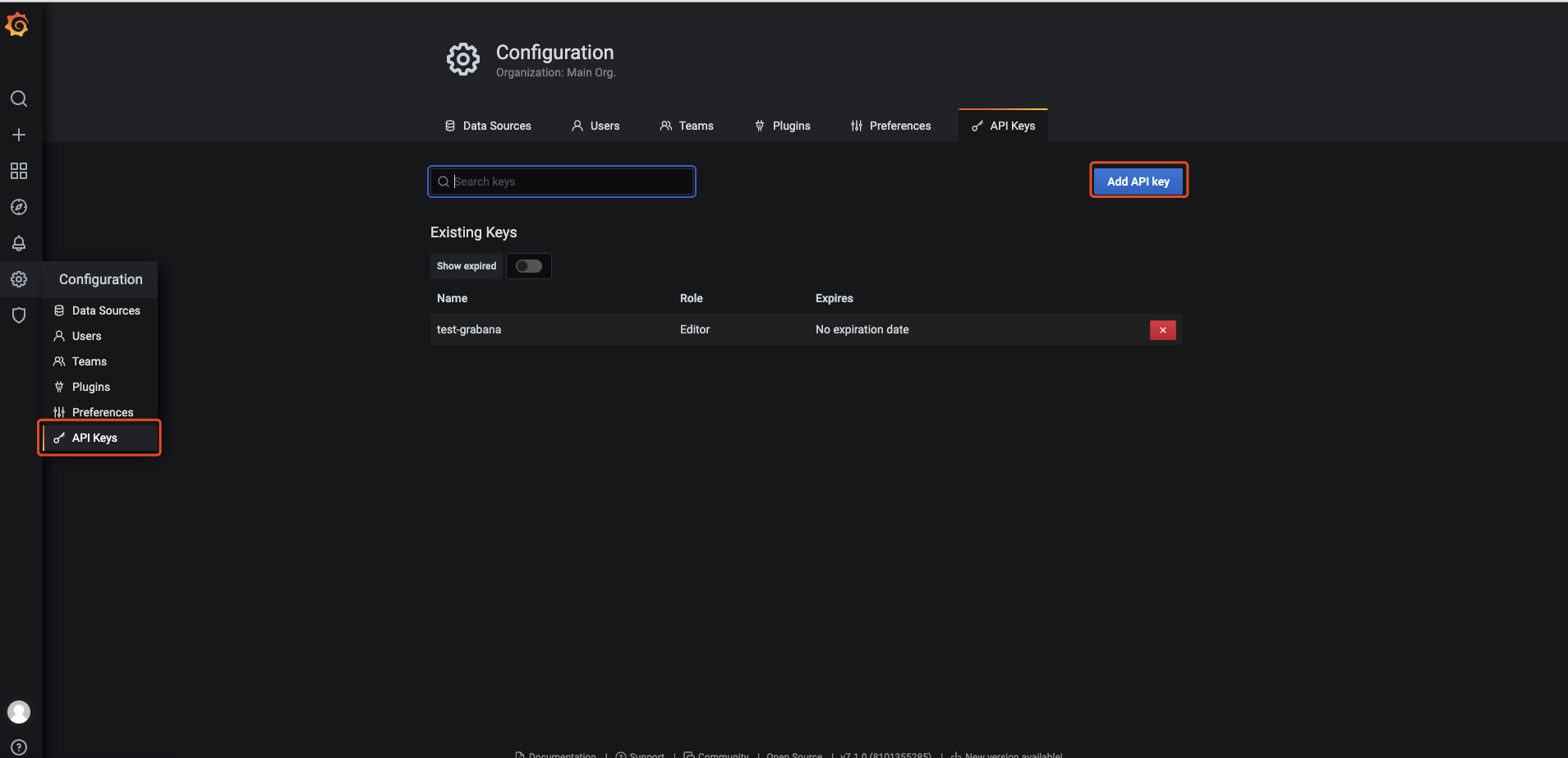
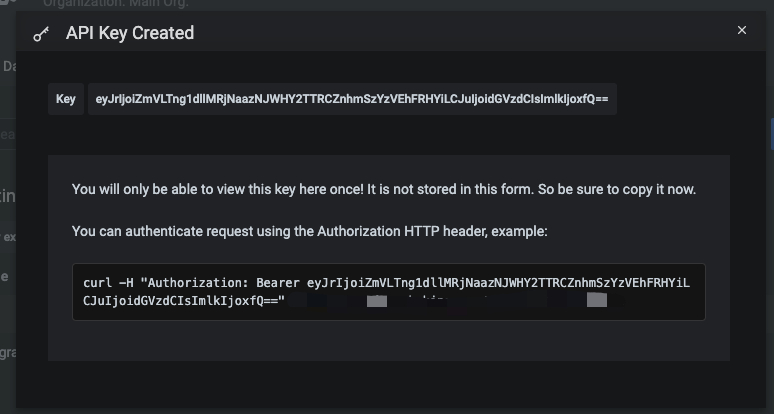
API Key 的创建方法 Configuration - API Keys - Add API Keys 如下图:
创建好 API Key 之后,将其填入 grabana.WithAPIToken() 中即可,创建/更新 Dashboard 代码如下:
 1
 2
 3
 4
 5
 6
 7
 8
 9
10
11
12
13
14
ctx:=context.Background()client:=grabana.NewClient(&http.Client{},grafanaHost,grabana.WithAPIToken("such secret, much wow"))// create the folder holding the dashboard for the servicefolder,err:=client.FindOrCreateFolder(ctx,"Test Folder")iferr!=nil{fmt.Printf("Could not find or create folder: %s\n",err)os.Exit(1)}if_,err:=client.UpsertDashboard(ctx,folder,builder);err!=nil{fmt.Printf("Could not create dashboard: %s\n",err)os.Exit(1)}
当然官方还提供了一个比较完整的 example,直接使用 go run main.go 即可体验一键创建 Dashboard。
content,err:=ioutil.ReadFile("dashboard.yaml")iferr!=nil{fmt.Fprintf(os.Stderr,"Could not read file: %s\n",err)os.Exit(1)}dashboard,err:=decoder.UnmarshalYAML(bytes.NewBuffer(content))iferr!=nil{fmt.Fprintf(os.Stderr,"Could not parse file: %s\n",err)os.Exit(1)}ctx:=context.Background()client:=grabana.NewClient(&http.Client{},grafanaHost,grabana.WithAPIToken("such secret, much wow"))// create the folder holding the dashboard for the servicefolder,err:=client.FindOrCreateFolder(ctx,"Test Folder")iferr!=nil{fmt.Printf("Could not find or create folder: %s\n",err)os.Exit(1)}if_,err:=client.UpsertDashboard(ctx,folder,dashboard);err!=nil{fmt.Printf("Could not create dashboard: %s\n",err)os.Exit(1)}